
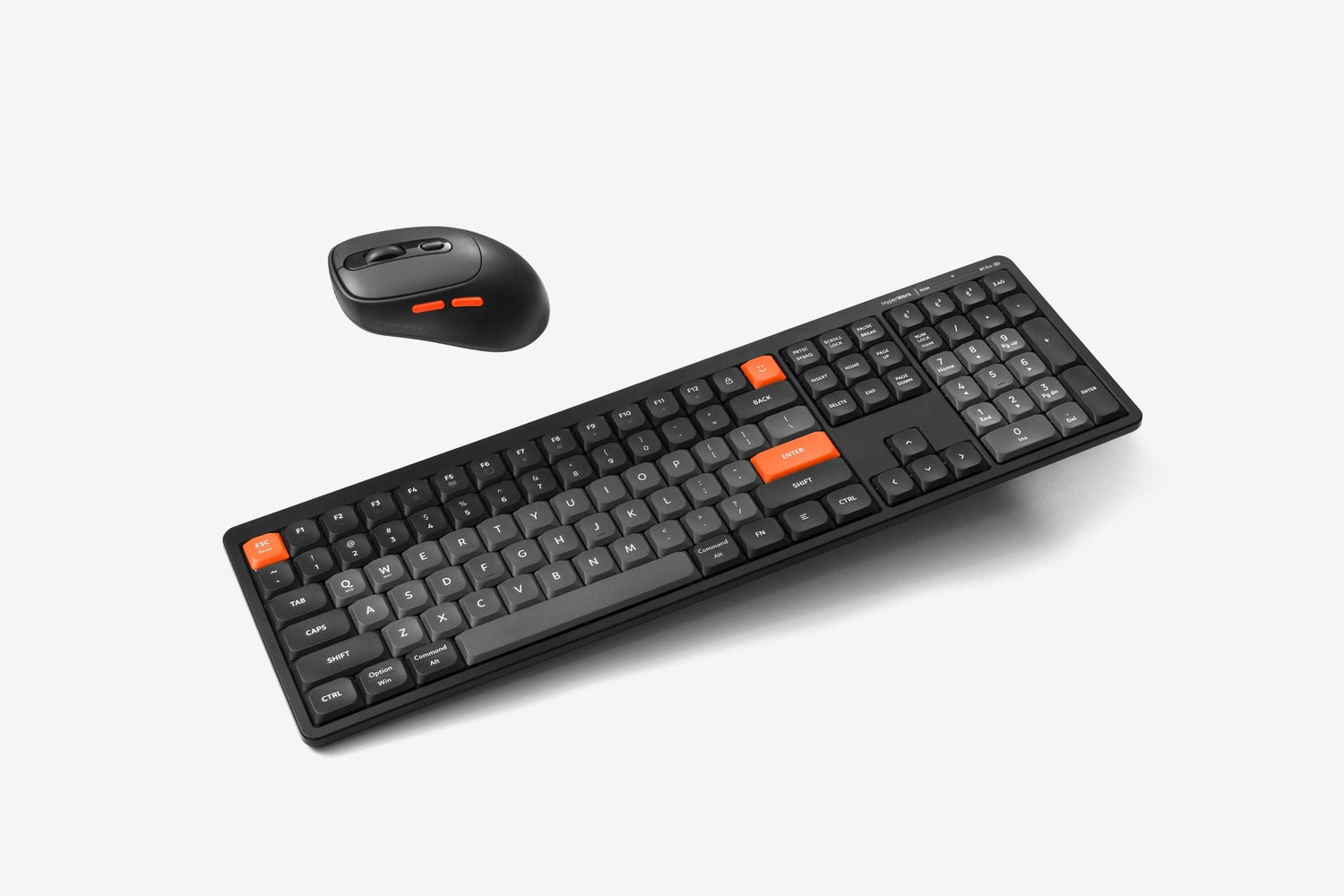
HyperWork introduces the 2024 "office daily" combo: the SilentKey keyboard and Silentium Mini mouse. This "silent" duo promises to help office users "work quietly – and boost productivity."

Multi-Mode Connectivity
The SilentKey keyboard is designed for users who work in the office for long periods, featuring wireless Bluetooth 5.1 and a 2.4 GHz receiver (with significantly improved latency).
This allows users to:
- Avoid tangled cables
- Use flexibly in various office locations
- Use with devices that lack (or have no available) connection ports.
Additionally, if you prefer a traditional wired connection for stability, SilentKey can still accommodate you.

The Silentium Mini mouse also features two wireless connection modes, including Bluetooth 5.1 and a 2.4 GHz receiver, connecting to a maximum of two devices. This allows users to switch between tasks and multitask without interruption or distraction from complicated or incompatible connection processes.

Silent Mechanism Suitable for Office Environments
No matter how much you love the clicky sound of typing, many office users understand that quiet helps you focus, work efficiently, and avoid disturbing others.
The SilentKey keyboard uses an improved X-Scissors scissor-switch structure, focusing entirely on a smooth typing experience and reducing noise compared to some common rubber dome keyboards on the market.

Meanwhile, the Silentium Mini mouse uses silent switches, allowing users to work without being interrupted by clicking sounds. This mechanism is suitable for office spaces like shared offices and meeting rooms, as well as for late-night overtime or working from home where quiet is needed.

Design Tailored to the Habits of Most Office Users
SilentKey is HyperWork's next full-size keyboard model, launched in 2024.
With a complete layout including number keys, letter keys, function keys, etc., the keyboard facilitates easier operation by eliminating the need to memorize shortcut combinations. For specific office tasks such as data entry for accounting or HR administration, using a full-size keyboard significantly boosts work efficiency.

The keyboard's 850-gram weight provides stability and a solid feel, enhancing the SilentKey's typing experience. Combined with the keyboard's scissor-switch structure and keycaps that fit common users' fingers, SilentKey delivers a smooth, comfortable typing experience that becomes more pleasant and engaging with every stroke.
The Silentium mouse features a symmetrical design, suitable for both left-handed and right-handed users. Its compact size is optimized, yet the mouse height remains over 3 cm to ensure long-term use without wrist fatigue. Essential operations are designed directly on the mouse body (Back/Forward buttons or DPI adjustment button).

Shared 2.4Ghz Receiver Feature
By following the steps below, you can use a single 2.4Ghz receiver from the Silentium Mini mouse to connect both the mouse and keyboard simultaneously to your desktop, laptop, etc.




Leave a comment
This site is protected by hCaptcha and the hCaptcha Privacy Policy and Terms of Service apply.