
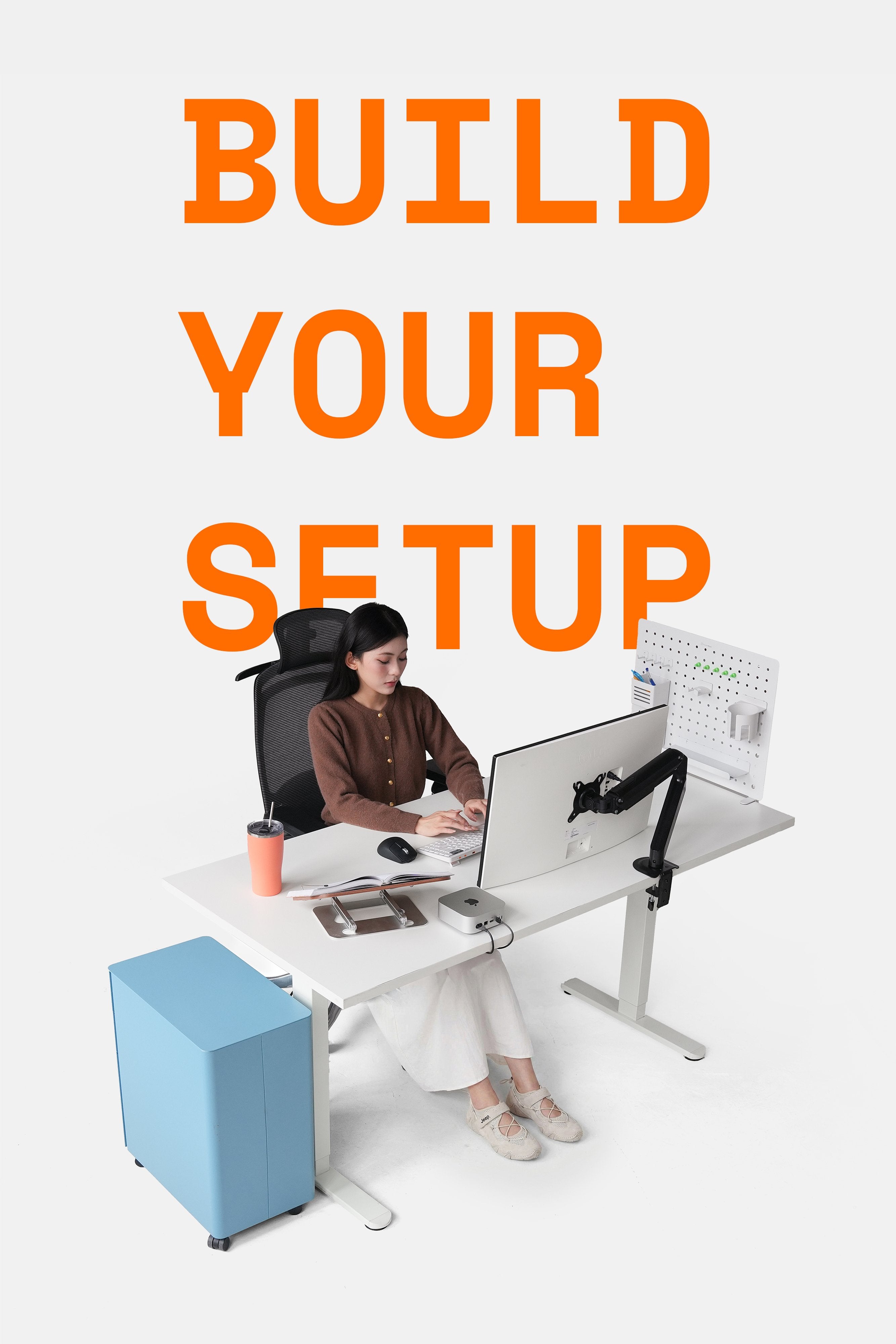
Monitor arms meet the needs of supporting screens, flexible adjustment, and optimizing space & sitting posture. However, do you know how to make the most of the monitor stands in your setup?
HyperWork continuously adds accessories compatible with monitor arms, helping to expand functionality and enhance the experience, especially suitable for MMO, media, or finance work to easily upgrade your setup.
Let's summarize the accessories that can be used with HyperWork monitor arms.
LT03 VESA Mount Laptop Holder
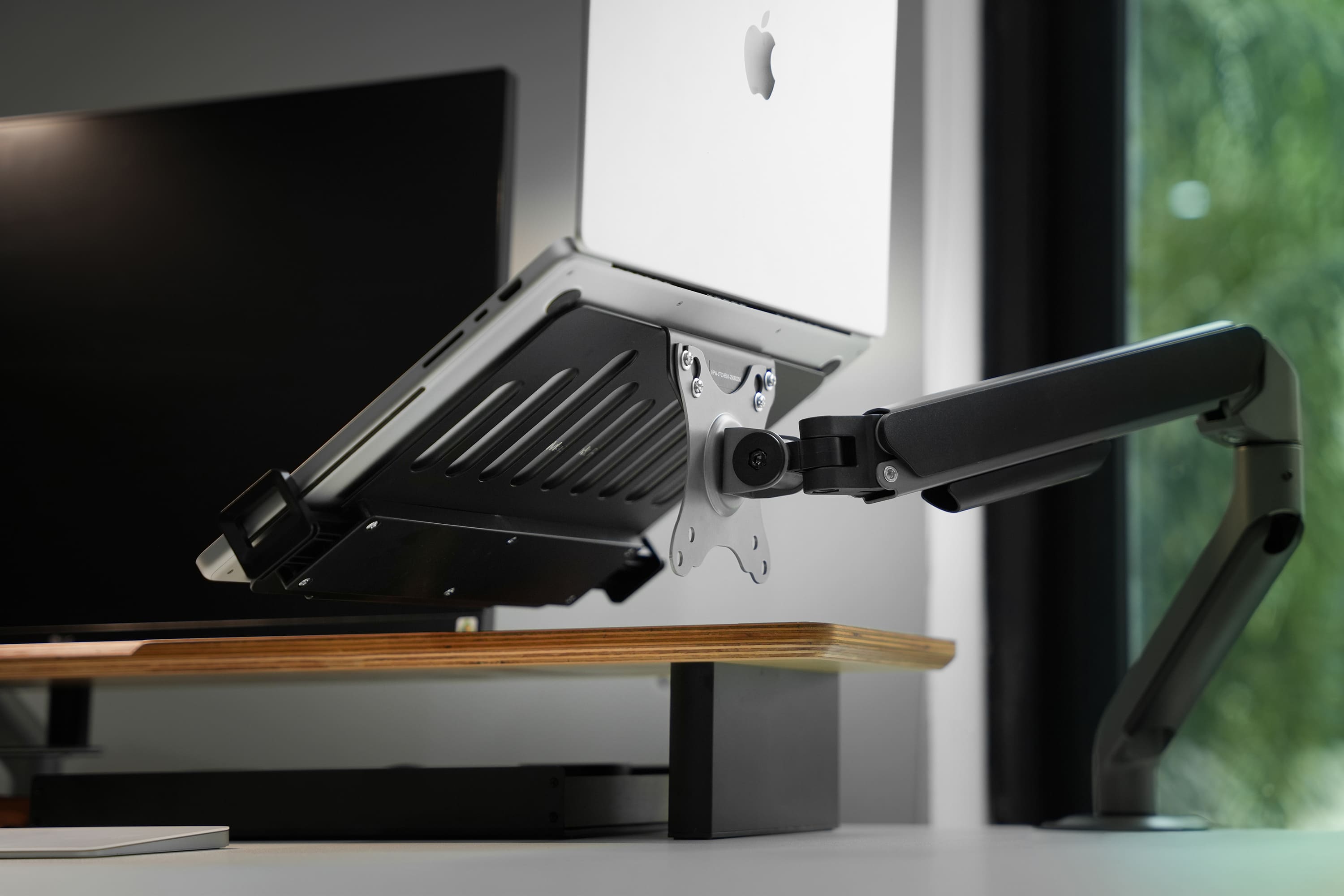
Unlike desktop laptop stands that take up space, the LT03 VESA mount laptop holder attaches directly to the monitor arm, helping to raise the laptop to eye level, saving space and turning the laptop into a flexible secondary screen.

Key features of the LT03 from HyperWork:
-
Wide compatibility: supports laptops and tablets from 12–17 inches.
-
Smart design: low-profile clamps do not block charging ports, USB, or HDMI, suitable even for tablets.
-
Scientific cooling system: ventilation slots along the surface reduce heat and protect devices during long-term use.
-
Sturdy & safe: rigid steel frame, anti-slip EVA padding, and safety stoppers to prevent drops and scratches.

How to use with a monitor arm:
-
Attach directly to the arm or pole supporting VESA 75x75mm; 100x100mm standards.
-
Easily combine with single or dual arms to raise the laptop, expanding the viewing angle and optimizing sitting posture.

Heavy-Duty Load Capacity Adapter
This is a specific accessory for certain heavy-duty arm models (T9 Pro III, VisionX) with an internal spring mechanism, enhancing load capacity and supporting larger monitors.
Key features of the HyperWork load capacity adapter:
-
Enhanced support: allows for lifting monitors that are heavier than the original recommendations.
-
Supports larger screens: capable of lifting monitors with larger sizes and heavier weights.
-
Flexibility: assists users who want to use larger monitors with their existing HyperWork arms.
Example with the VisionX monitor arm:
-
Increased maximum load: from 18 kg => 20 kg.
-
Increased supported screen size: from 43 inches => up to 49 inches.
Ballhead
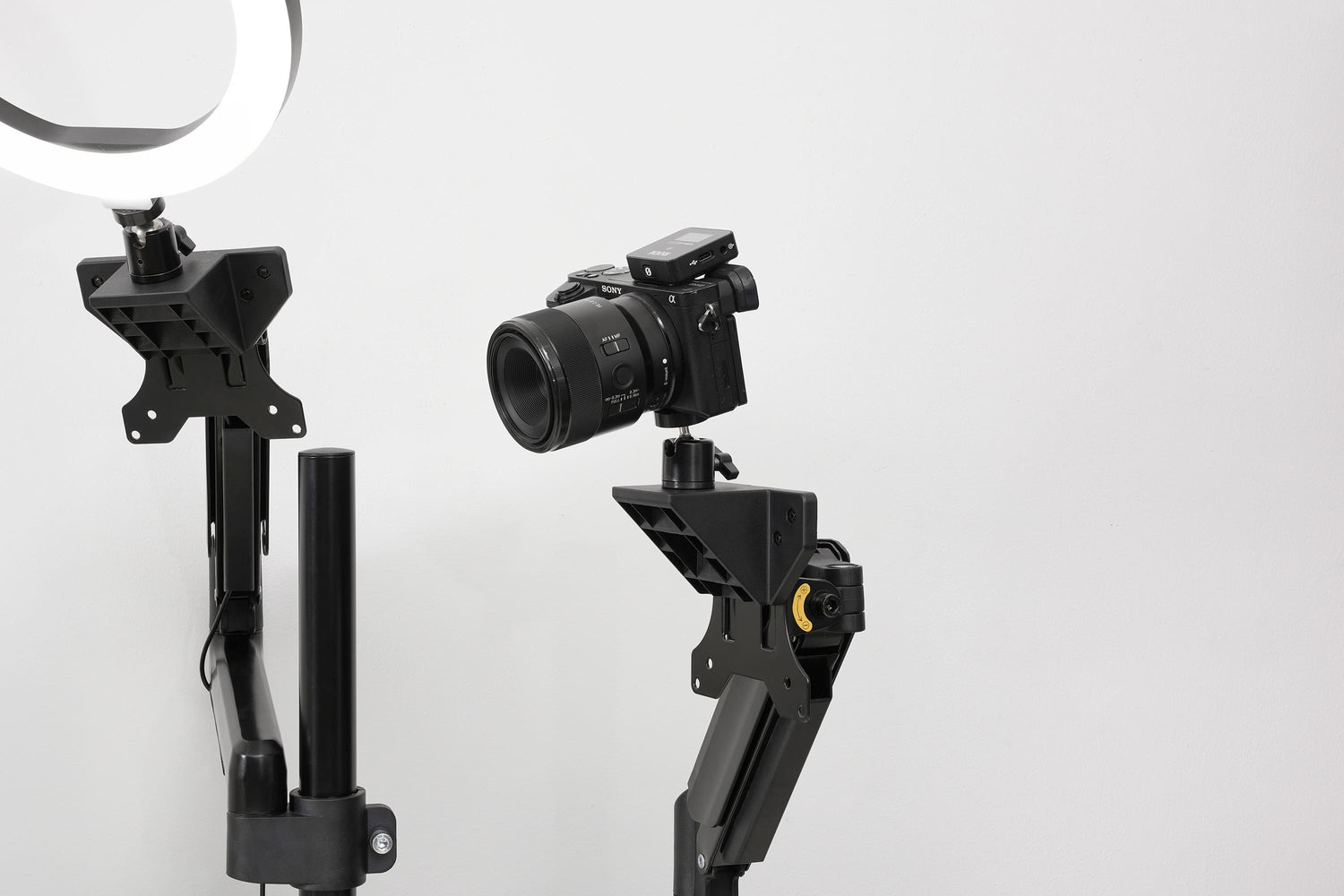
A ballhead is a ball-joint accessory mounted on a stand or monitor arm, supporting and adjusting devices such as cameras, lights, microphones, webcams... This accessory is widely used in photography, filming, livestreaming, and recording.
Key features of the VA01 ballhead from HyperWork:
-
Flexible 360° rotating ball mechanism, easily adjusting to multiple angles.
-
Provides precision and creative freedom for users.
-
Available in various types with different load capacities (3–15kg) to suit every need.

How to use with a monitor arm:
-
Attach the adapter to the VESA standard (75x75 or 100x100).
-
Mount the ballhead onto the adapter and secure it with screws.
-
Use an adapter to mount the device (camera, mic, light...).
-
Adjust the angle as needed and tighten the screws to ensure safety.

The VA01 Ballhead for VESA mounts is an accessory that can be used on single/dual monitor arm models to fully utilize the arm's support and flexible adjustment capabilities.




Leave a comment
This site is protected by hCaptcha and the hCaptcha Privacy Policy and Terms of Service apply.