
If laptops and tablets come with integrated keyboards and touch support, do we still need an external keyboard like we do with a PC? The answer might seem to be no.
However, if you spend a lot of time working with these devices, especially when dealing with complex, long-term tasks, an external mouse and keyboard become much more practical and convenient. Let's explore the reasons why you should consider using an external mouse and keyboard even if you already have a laptop or tablet!
1. Save Time
When typing long documents or handling complex data, many users prefer an external mouse and keyboard for faster operation.
For example, if you work in Accounting or HR and frequently use Excel or Word, an external keyboard with separate numeric, alphabetic, function, and navigation keys will help prevent typing errors, optimize correction time, and reduce frustration from minor mistakes. The layout of an external keyboard is also more ergonomic than an integrated keyboard, allowing for fast, accurate, and smooth typing.
2. Reduce Hand Fatigue, Improve Posture
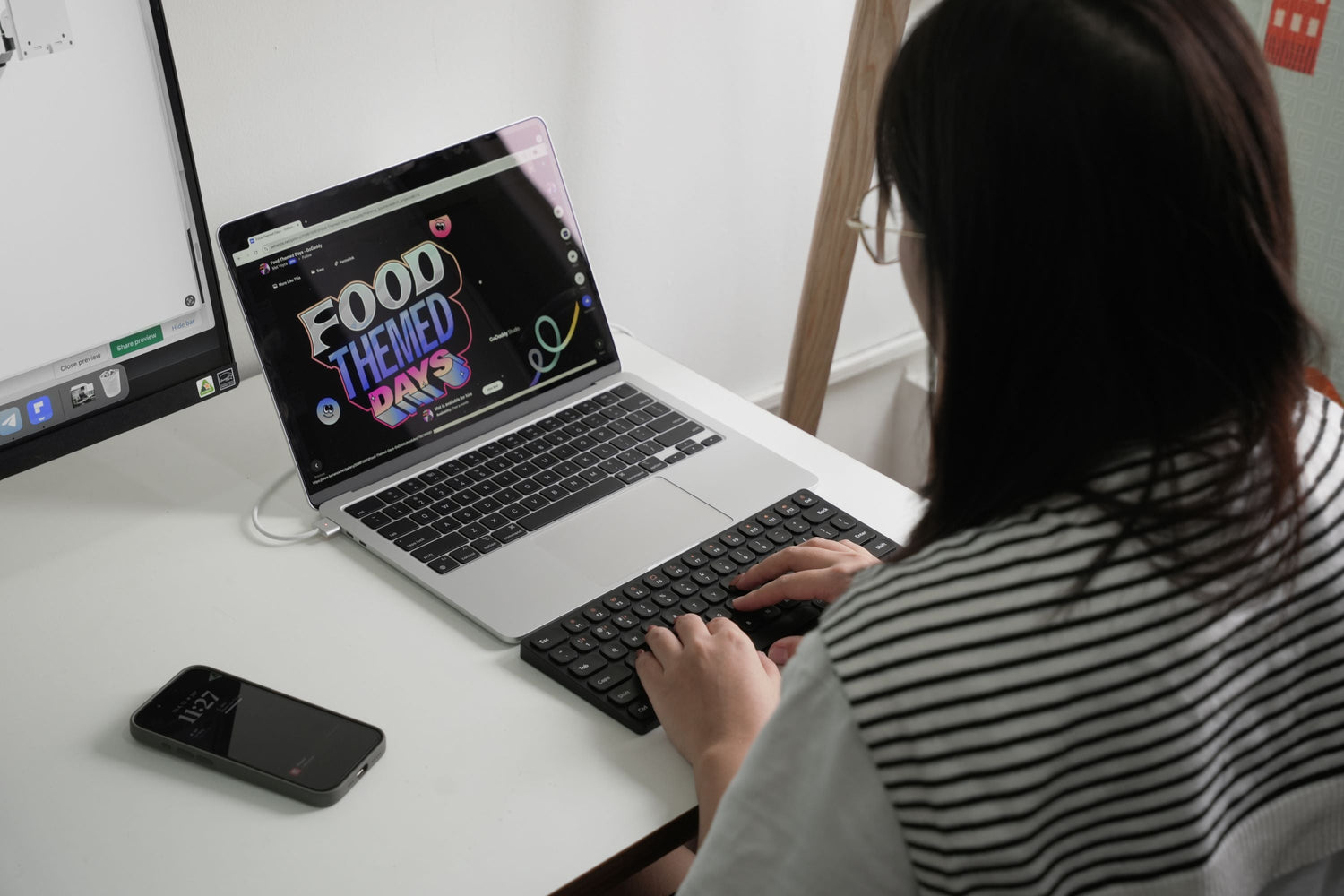
We can observe ergonomic drawbacks on integrated laptop keyboards. These keyboards are often small, with suboptimal key spacing, and are attached to the screen to minimize the size of a portable electronic device like a laptop. The key structure often provides weak feedback and short key travel.
This can easily lead to wrist and finger fatigue for users, and a less satisfying typing experience during long sessions. Integrated keyboards directly on the screen, like those on tablets, make these issues even more apparent.

When using a laptop, you often have to type with an unnatural wrist angle, whereas an external keyboard can be flexibly adjusted for tilt with a kickstand or an ergonomic wrist rest.

3. Improve Accuracy and Work Efficiency
Furthermore, with an external mouse and keyboard, you will improve your accuracy when performing tasks such as moving the cursor, selecting areas, refining text, drafting, and graphic design. This becomes especially useful when working with software like Photoshop, Illustrator, AutoCAD, or specialized data analysis programs.

When using an external mouse with a laptop for poster design, you can easily move the cursor precisely and quickly, paying closer attention to details. Many professional designers and editors even use a larger external monitor connected to their laptop for more visual space while working.
4. Enhance the Tablet Work Experience
Tablets feature virtual keyboards and use finger gestures to replace a mouse. However, you can easily experience wrist fatigue and discomfort during prolonged use. In contrast, an external mouse and keyboard can transform a tablet into a mini-PC, allowing for more comfortable and productive work.

5. Convenience for Multitasking
When working on a laptop or tablet, you often need to switch between multiple applications and windows. At this point, constantly flipping back and forth will be difficult if you only use the built-in keyboard and touchpad. This is where an external mouse and keyboard will help you operate more quickly and flexibly during multitasking.
6. Increase Customization and Personalization of Your Setup
When you use an external mouse and keyboard, you can optimize your workspace. Adding more electronic devices, and even customizing your keyboard and mouse, is a way to create an interesting and unique setup.

Wireless keyboards and mice from HyperWork can be a suitable choice for you due to the following factors:
- Multi-connectivity via Bluetooth, receiver, compatible with various operating systems
- Quick and easy switching between devices using a toggle switch or hotkeys
- Improved scissor-switch key structure provides a smooth, comfortable typing experience, and symmetrical or ergonomic mouse forms suit various habits and usage styles
- Keyboard sizes include full-size, 75%, and 65%, suitable for different professions and specific tasks
- Lightweight (HyperOne Gen 2 with a light, durable aluminum frame; SilentKey Mini and SilentKey with a plastic frame combined with a metal plate to prevent twisting; Silentium Mini and Silentium mice are ultra-light and pocket-sized)
- Impressive battery life with an included charging cable.




Leave a comment
This site is protected by hCaptcha and the hCaptcha Privacy Policy and Terms of Service apply.