

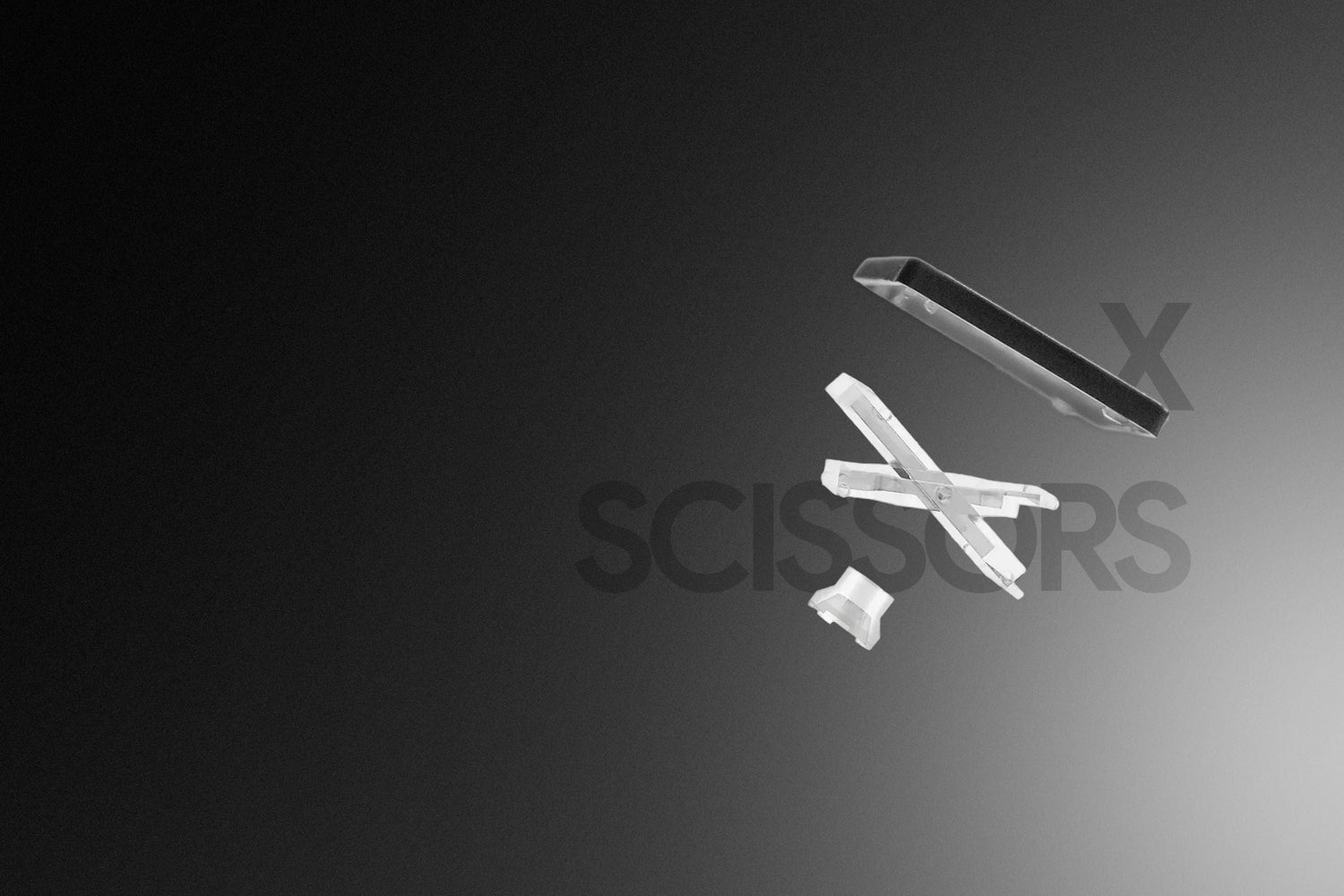
Many people use slim keyboards for 6-8 hours a day but still think: "It's normal to feel tired from typing a lot" or "as long as it's quiet and reduces noise, it's fine."
In reality, most typing discomfort doesn't come from the user, but from the mechanism beneath each key. If you are using a membrane keyboard and encounter one of the signs below, it might be time to consider upgrading to scissor switches.
Sign 1: Having to press very deep to ensure the key registers
The feel of typing on a membrane keyboard
If you frequently:
- Have to look back at the screen to check after pressing a key
- Tend to press harder just to... be sure
- Feel fingertip fatigue after a few hours of work
You are likely using a membrane keyboard with a late actuation mechanism. On membrane keyboards, the key only "registers" when you press nearly the full travel distance. This creates a lack of confirmation signal when the key is activated (meaning you don't receive clear feedback that the action has been recorded).
How Scissor switches differ
Meanwhile, scissor switches have a shorter key travel and a clearer, earlier actuation point, helping users:
- Avoid bottoming out
- Type with a lighter touch
- Reduce hand fatigue during long work hours
 The structural difference shows why membrane keyboards need a deeper press to actuate, while scissor switches have an earlier actuation point.
Sign 2: Wobbly keys, frequent typos, and off-center instability when typing fast
The feel of typing on a membrane keyboard
After long periods of using a membrane keyboard, some users notice that:
- The keys no longer feel as "solid" as when first purchased
- Off-center presses feel uncomfortable
- Typos increase when typing fast, even if the speed remains constant
The cause lies not in typing habits, but in keycap stability (the degree to which the key maintains vertical movement when pressed).
Membrane keys are only held by the rubber layer underneath. Over time, the rubber loses elasticity, causing the keys to:
- Wobble easily
- Shift off-center
- Create an uneven typing feel
 The difference in keycap stability during off-center presses: membrane keys wobble easily due to the lack of a guiding mechanism, while scissor switches keep the key moving straight and more consistently thanks to the stabilizing frame.
How Scissor switches differ
In contrast, scissor switches are reinforced with a stabilizing scissor frame, which keeps the keycaps moving vertically, ensuring the keys:
- Move straight
- Have minimal wobble
- Maintain accuracy even during fast typing
Sign 3: No clear signal that the key has been actuated
The feel of typing on a membrane keyboard
Many people experience a common situation: when pressing a key, the action occurs, but they aren't sure if they pressed it correctly.
This issue isn't about typing technique, but rather the key failing to produce a clear enough signal at the moment of actuation.
When a keyboard lacks a confirmation signal:
- You can't feel the exact moment the key "registers"
- You have to apply extra force or re-press to double-check
- It's more tiring over long periods due to constant "self-verification"
 Comparing tactile feedback: membrane keyboards provide vague actuation signals, making it hard for users to know if a key registered, while scissor switches create clear and consistent feedback right at the moment of actuation.
How Scissor switches differ
With scissor switches, the mechanism is designed to return a clear signal at the exact moment of actuation, helping users:
- Recognize the action without needing to press deeper
- Reduce unnecessary typing force
- Type more accurately and stably during long work sessions
Additionally, if you're wondering whether to choose a scissor switch keyboard from the start, consider these factors:
- You type for 6-8 hours a day
- You are an office professional, or work in finance, creative fields, or programming
- You prioritize performance, stability, and a sleek design.
In practice, it's no coincidence that many brands focus on scissor switches for long-term users. At HyperWork, all currently available keyboard models use the XScissor mechanism, optimized for stability, clear feedback, and a typing travel suited for modern work environments.
If you're looking for a keyboard that is light, precise, and comfortable for 8 hours of daily work, don't forget to check out HyperWork's scissor switch keyboard models here.

Choosing a keyboard is not just about picking an input device. It's a choice that directly affects your daily work feel, task accuracy, and the accumulated fatigue after 8-9 hours of work. Therefore, choose a device that fits your budget but also ensures a light, smooth, and comfortable typing experience all day long.




Leave a comment
This site is protected by hCaptcha and the hCaptcha Privacy Policy and Terms of Service apply.