

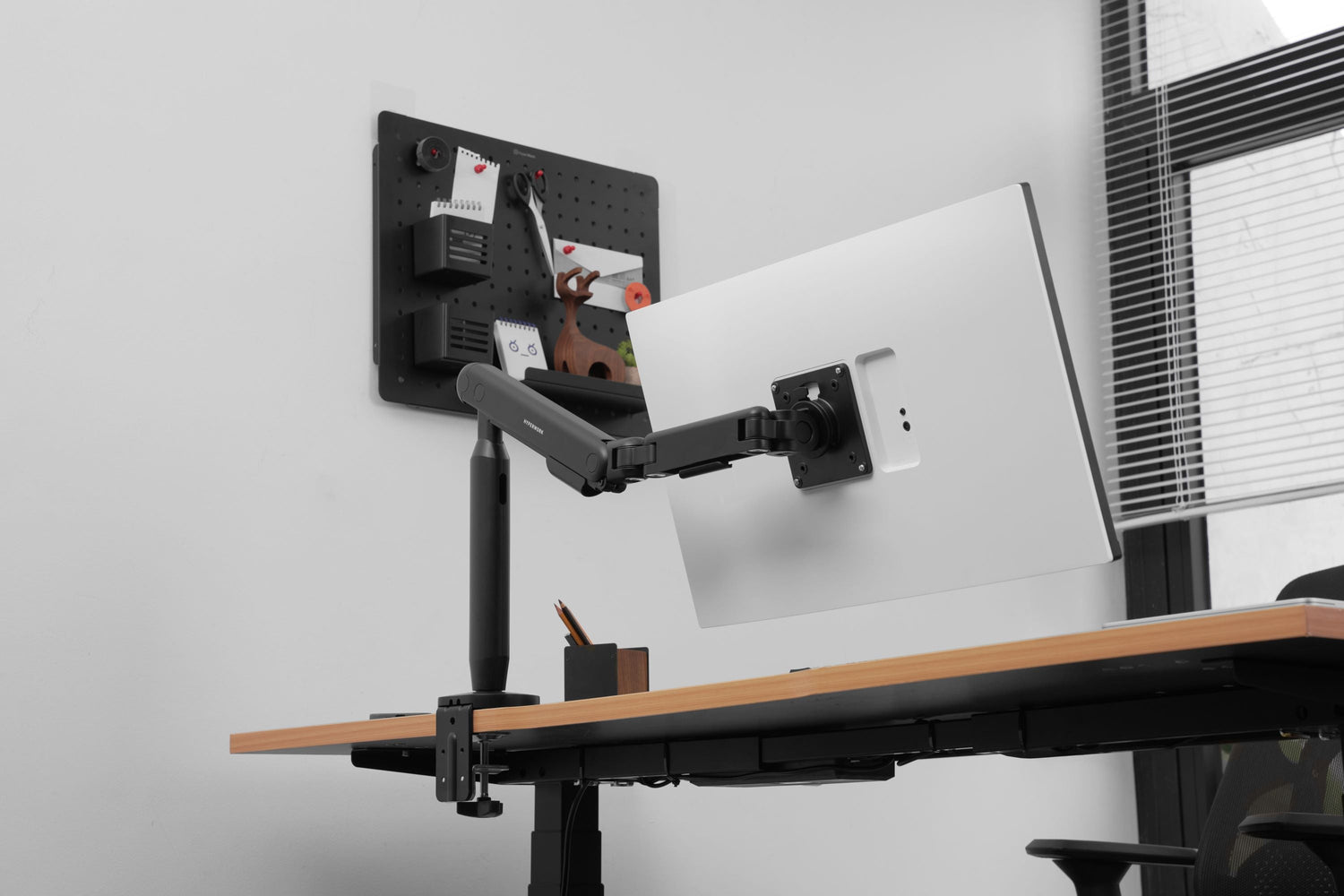
Monitor arms (monitor mounts, monitor risers) are no longer unfamiliar to users who want to optimize their workspace for a neater, more comfortable, and more ergonomic setup. But to choose the right one and ensure long-lasting use, you need to understand the different types of arms, their operating mechanisms, and some troubleshooting tips.
Here are some frequently asked questions:
Question 1: What are the different installation methods for monitor arms? What are the pros and cons of each?
-
Desk Clamp: No drilling required, easy to install, quick to remove. Suitable for desks with sturdy edges, but limited for glass desks or desks without edges.

-
Grommet Mount (Drill-through): Neat, sturdy, good weight capacity. Requires a pre-drilled hole or self-drilling, less flexible for removal or relocation.
-
Wall Mount: Saves desk space, allows mounting in desired positions. However, disadvantages include fixed position, difficulty in changing location, and requiring a wall with good load-bearing capacity.
User Benefit: Choosing the correct monitor arm installation type that suits your setup and personal conditions will make your workspace both tidy and safe, preventing unnecessary wobbling or the risk of the monitor falling.

Question 2: Should I choose a spring-assisted or gas lift (piston) monitor arm?
-
Spring: Simple mechanism, durable, less prone to failure, lower cost. However, springs have limitations in their lifting force.
-
Piston (Gas Lift): Smooth movement, easy to fine-tune according to monitor weight. However, it may require maintenance or replacement after a few years.
Question 3: What do VESA standards 75x75 and 100x100 mean?
-
This refers to the standard for screw hole patterns on the back of a monitor, measured in mm (horizontal x vertical distance).

-
75x75: 7.5 cm distance in each direction, typically for smaller monitors (<24 inches).
-
100x100: 10 cm distance in each direction, common for monitors 24 inches and larger.
-
When purchasing a monitor arm, ensure it matches your monitor's VESA standard.

Question 4: What should I do if my monitor arm sags or drops after some use?
-
Check the screw tension or adjust the lifting force of the spring/piston, as this situation often occurs when using a larger monitor. Specifically, if the arm sags or drops, users can turn the tension screw towards the plus sign to help the arm better support heavier monitors.

-
If the piston is weak: replace or claim warranty.
-
Crucially, always ensure that the monitor arm is used with a monitor whose weight falls within the permissible load capacity.
Question 5: What are the advantages of a pole-mounted arm compared to a regular dual arm?
-
Pole-mounted arm: Saves space, easy to mount multiple monitors vertically, tidy cable management.
-
Regular dual arm: Flexible rotation angle for each monitor, easy to adjust positions independently.

-
Depending on your needs: For multiple monitors on a vertical axis, choose a pole-mounted arm; for flexible horizontal monitors, don't overlook a dual arm. Additionally, a pole-mounted arm is especially suitable for professions that require data monitoring and vertical work, such as multi-layered data, "stack" formats, or continuous reporting (stock market, financial transactions, IT, legal, research, etc.). Conversely, a dual arm positions two monitors side-by-side horizontally, which is convenient for tasks requiring comparison, cross-referencing, or expanding the workspace horizontally (marketing, project management, design, accounting, etc.).

Question 6: What advantages do high-end monitor arms offer over lower-end ones?
-
Higher quality materials and better aesthetic finish (aluminum, steel, high-quality plastic, electrostatic powder coating to prevent rust)
-
Smooth movement, minimal wobbling, ensuring monitor safety
-
Higher durability for springs and pistons, greater load capacity
-
Excellent cable management, aesthetic, modern, and high-tech design
-
Official warranty, longer duration
Question 7: Can I use a monitor arm with a TV?
Some monitor arms can be installed with TVs thanks to included mounting plates in various sizes, such as 100 x 200 | 200 x 100 | 200 x 200 mm. Additionally, pay attention to the arm's recommended load capacity to ensure the TV is safely supported.




Leave a comment
This site is protected by hCaptcha and the hCaptcha Privacy Policy and Terms of Service apply.